Import registers from an MBC file
This guide shows how to import register definitions from a ModbusControl (.mbc) project file.
Steps
Option A — drag and drop:
Drag the
.mbcfile from your file explorer onto the ModbusScope main window.The import dialog opens automatically.
Option B — menu:
Go to File > Import MBC File….
Select your
.mbcfile.
After opening the file with either option:
In the import dialog, review the registers found in the file.
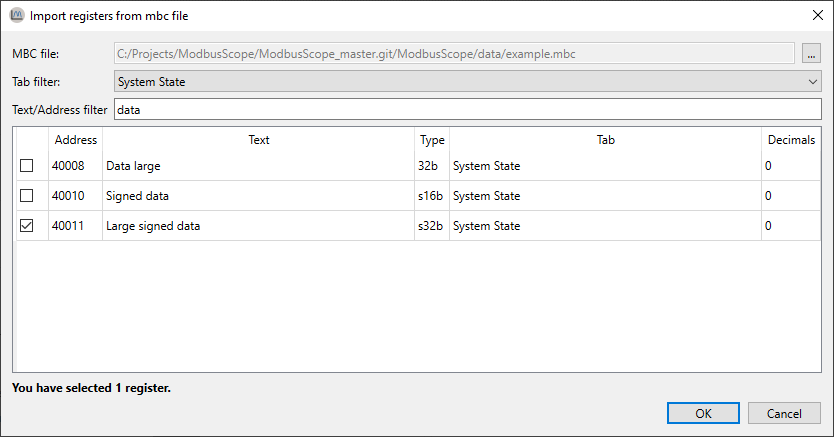
Select the registers you want to add and click Import selected registers.
Result: The selected registers are added to the signal list with their names and addresses. You can edit them further in the Signals dialog.
Notes
ModbusControl is a separate proprietary application. This import feature only reads register definitions; it does not communicate with ModbusControl.
Imported registers use default types and colors. Adjust them in the Signals dialog if needed.